Friday, February 19, 2016

Meet Aero, the self filling water bottle


I came across the Fontus "Aero" and was blown away. This is a water bottle that fills itself from the moisture in the air. The water is pure and drinkable.

This model is designed, as you may have already surmised, to be mounted on a bicycle.

But this could be useful in so many ways. Immagine having one of these in your danger kit in your car or house.

This idea is brilliant.

Here is a video that shows the process in action:

https://www.youtube.com/watch?v=GeyHuWNUO7k

Here is what the Fontus team have to say about themselves:

"HARVESTING WATER FROM THE AIR IS A METHOD THAT HAS BEEN PRACTISED FOR MORE THAN 2000 YEARS. THE EARTH’S ATMOSPHERE CONTAINS CONSTANTLY AROUND 13.000 KM3 OF MOSTLY UNEXPLOITED FRESHWATER. THE FONTUS PROJECT WAS AN ATTEMPT TO DISCOVER THESE RESOURCES.

FONTUS WAS INVENTED TO BRING AN ALTERNATIVE WAY OF COLLECTING SAFE DRINKING WATER TO REGIONS WHERE DROUGHT AND UNCLEAN WATER ARE A BIG ISSUE. BIKES, AS THE MOST WIDESPREAD MEANS OF TRANSPORT IN THE WORLD, ESPECIALLY IN DEVELOPING COUNTRIES, SEEMED TO BE THE PERFECT VEHICLES TO COMBINE WITH THE INVENTION.

FONTUS RYDE AND AIRO MIGHT BE A CLEVER WAY OF ACQUIRING FRESHWATER IN REGIONS OF THE WORLD WHERE GROUNDWATER IS SCARCE BUT AIR HUMIDITY IS HIGH. THEY COULD WORK AS A MOBILE WATER WELL, FOR EXAMPLE, PROVIDING A CHILD WITH WATER FOR THE DAY WHILE RIDING TO SCHOOL.

MOREOVER, THESE SELF – FILLING BOTTLES FREE TRAVELLERS AND ADVENTURERS FROM THE BURDEN OF WATER PROVISION DURING A TOUR. WE WORKED TOGETHER WITH PROFESSIONAL EXTREME ATHLETES AND WERE ABLE TO IDENTIFY TWO BASIC PROBLEMS THAT PEOPLE WHO SPEND TIME IN NATURE ARE ARDUOUSLY CONFRONTED WITH:

A HIKER MUST EITHER PLAN HIS ROUT IN A WAY THAT HE ALWAYS FINDS FRESH WATER SOURCES, OR HE MUST PACK HIS BACKPACK VERY HEAVILY IN ORDER TO HAVE WATER FOR THE WHOLE JOURNEY. FOOD IS IN COMPARISON MUCH LIGHTER, IF WELL CHOSEN, BECAUSE YOU CAN COMPRESS IT. BUT WATER WEIGHS WHAT IT WEIGHS; YOU DON’T HAVE MUCH OF A CHOICE.

THESE PROBLEMS ARE A GREAT RESTRICTION FOR HIKERS AND OUR MAIN GOAL BECAME TO FIND A SOLUTION THAT WOULD GIVE ADVENTURERS THE FREEDOM TO GO WHEREVER THEY WANT!" -http://fontus.at/about/

The Fontus website is: http://fontus.at/

You have to admit, this is impressive!

Monday, February 8, 2016

Readiator, a cross-platform epub reader


While I was searching for another epub reader option for my chromebook, I found Readiator. I was using Readium, which has some nice features.

But some of the things I wanted, like being able to zoom into the images in my epubs, wasn't available with Readium.

First off, I love how simple Readiator is. It opens in a regular chrome window, and because it's really just a flushed out chrome plugin, it has the power of the chrome browser at it's disposal.

Readium also uses chrome, but for some reason does not allow you to use all the tools already at it's disposal in chrome.

Here are some of my screenshots.

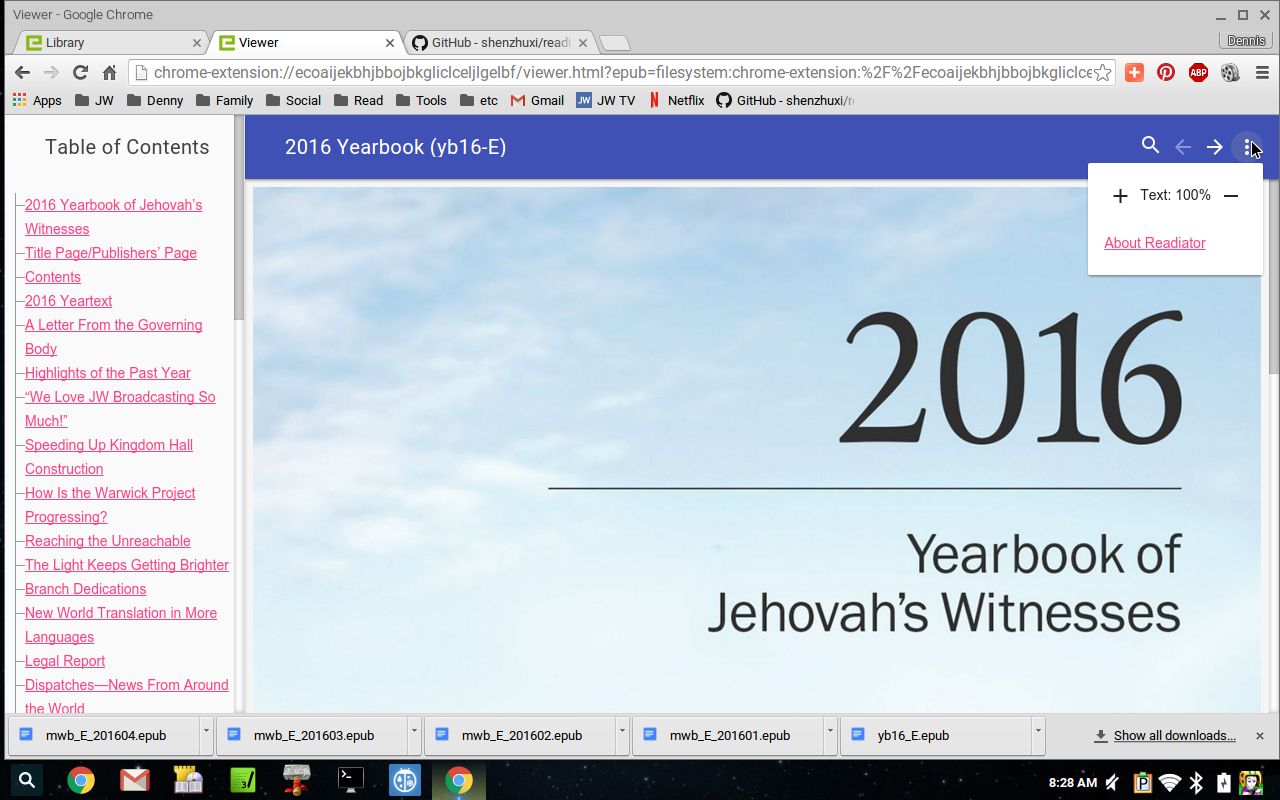
This is the main page. Simply put, to add books hit the + button, top left.

This is showing how to increase the text size

This is showing how to remove a book

Besides the zooming in of an image, I also like that you can have Readiator add all the epubs in a folder simultaneously.

For more information, you can check out Readiator's official github page here:
https://github.com/shenzhuxi/readiator

And if you want to install this useful Chrome App, you can do so here:
https://chrome.google.com/webstore/detail/readiator-epub-reader/ecoaijekbhjbbojbkgliclceljlgelbf?utm_source=plus

Wednesday, February 3, 2016

GoBang Linux: Fast, Nimble, Simple


While looking through unique Ubuntu based distro's, I came upon GoBang, and I have to admit, I love it.

This is the simplest version of Ubuntu I have ever seen implemented that still has a desktop environment.

Every app is either a command line app or is a very light on resources type app.

The browser is Links2, the music player is MusicOnConsole player, just to give you a feel of how light GBL is.

As http://gobanglinux.org/about/ puts it,

"Gobang is a light and fast operating system based on Ubuntu repositories. The default environment is built on the Openbox window manager. G.B.L allows you to easily and quickly customize your system to suit your needs. ISO images are not issued regularly and contain alternate installation CDs. The idea to create GoBang OS was born out of the need for rapid, lightweight operating system that aims to provide an alternative look at the OS.The system allows a large amount of software installations, and complete control over the appearance. The GoBang Project aims nature of information and education."

Here is my screenshot of GoBang 2.04.2:

(Click to enlarge.)

Here is a nice blurb from http://gobanglinux.org/about/ on the history of GoBang Linux:

"The idea for GoBang came about in November 2012. At the beginning system ISO was published only in one language (Polish) and pointing to a small group of students, studying at the “Administration of the Operating Systems “.As the education program do not provide deeper discussions about the alternative system solutions from the family of operating systems Linux and Unix and most of the issues are based on the Microsoft products, I decided to take care of this problem and start promoting solutions based on codes such as open end free source. The idea is to present a different point of view on the operating systems subject."

Here is the official website: http://gobanglinux.org/

And here is the sourceforge page: http://gobangos.sourceforge.net/


Tuesday, January 26, 2016

Watchtower Library 2015 on Ubuntu 14.04


I got my Watchtower Library 2015 DVD and installed it.

No problems to report so far, but I would like to point out that I did use the "PlayOnLinux" method I wrote about in July.

As the screen shot below shows, it was a "smashing success".


Here is the article: http://dennygoot.blogspot.com/2015/07/watchtower-library-2014-with-playonlinux.html

And here is the walk through again in that article:

If you have had issues installing a newer version of wine, or need an older version of wine for another app, PlayOnLinux is a great way to install the Watchtower Library on Linux.

Before we start, I must tell you the PlayOnLinux way takes longer, and needs to download packages from the internet to accomplish it's task.

First of all is the installation of PlayOnLinux. In Ubuntu (or other Debian Linux distros) you just type sudo apt-get install playonlinux in the terminal, or look for playonlinux in synaptic or the Ubuntu Software Center.

Once that is done and you start PlayOnLinux, here is how you install the Watchtower Library:

This screen, choose "Install a program"


Wait for the load screen to end

Type in "Watchtower Library" (without the quotes) 
and choose your version

Once this screen arrives, click next, and wait.. 
it takes a while to install.

PlayOnLinux has to install several packages, 
this is the first, wine 1.7.

More wait time, extracting Wine. (Patience!)

Another package to install, wine gecko.

Now for wine mono. Keep waiting.

Nearing the end, PlayOnLinux needs to make a 
virtual drive c for all of this wine goodness.

Now the screen we waited for. I personally store
the watchtower library cd files on a usb drive,
but for most people you will want to choose 
"use cd-rom".

Point the program to the CD or place you have the Watchtower Library files, and the rest is just like installing it on Windows or older versions of wine.

After installation, PlayOnLinux will make a desktop icon.

If you want to have a menu entry instead, start your favorite menu editor (i.e. menulibre) and put this info into your new menu entry:

Command: /usr/share/playonlinux/playonlinux --run "Watchtower Library 2014" %F

Icon location: /home/xubuntu/.PlayOnLinux//icones/full_size/Watchtower Library 2014
(Change the "xubuntu" to your username.)

I hope this how to is useful.

As always, if you need help, you can reach me with the info in the "Contact and about Denny" section on the right.

-Denny

Sunday, January 24, 2016

Cub Linux, the new Chromixium

While looking through Ubuntu based Linux distributions I came across some news that Google requested that an Ubuntu derivative change it's name. It was called Chromixium, it would now be called Cub Linux.

I looked into the Cub Linux design, and liked what I saw. Being the owner of a Chromebook, the design was very familiar to me. I also liked how light it was on it's feet.

Cub as I said looks like Chrome OS from the line of Chromebooks. It's running on Openbox.

This gives the distro a very speedy feel. It's also a very polished, rather nice looking feel for an Openbox based desktop.

I made a few tweaks to Cub, and want to mention those here.

First off, I am a Netflix viewer, so for me Chromium had to go for regular Google Chrome.

This is actually a very easy transition. It's a menu entry!

Right-click on the desktop
Click on Applications —> Internet —> Google Browser Choice
Enter your password

Then just follow the step by step guide. If for some strange reason you do not have the google browser choice app or something seems to go wrong, check this link out here: http://chromixium.wikidot.com/switch-to-chrome.

Next I needed to kill my touch pad. I am just not a touchpad person. Can't stand how they get in the way of my typing.

So thanks to a former article I wrote, I already had the tools to kill it myself.

First you run xinput list in a terminal window. Once you have determined where your touch pad resides on that list, then you simply add xinput set-prop (your device's number here) "Device Enabled" 0 in your Openbox's autostart file.

The autostart file can be found here: /home/(user name here)/.config/openbox/autostart

And my Cub Linux Openbox autostart looks like this:

# ob-autostart is a simple GUI to add/remove .desktop
# files to the ~/.config/ob-autostart/conf file for autostarting
# with Openbox:
xinput set-prop 13 "Device Enabled" 0 &
xinput set-prop 14 "Device Enabled" 0 &
post-install &
ob-autostart -d &

You can see I killed my touch pad, and that goofy gumdrop in the keyboard looking pointing device as well.

Lastly I added parcellite, which is a good clip board manager. Without one, anythimg you want to copy and paste will be lost if you close that application.

That can be very frustrating. You can get parcellite from synaptic, apt-get or the software center app. Here is Parcellite's official page: http://parcellite.sourceforge.net/


So having done that, and setting my most used apps on the desktop, a wallpaper of my choosing and a few other things here and there I got this very useful and quick desktop:

My desktop, click to enlarge

Me showing off the right click menu. 
Very sharp for a openbox distro.

And this is the "Google Services" menu 
(magnifying lens on bottom left)

Here is what the Cub Linux people have to say about their unique Linux distro:

"Cub Linux is a web-focused, fast but familiar operating system.
It can be as simple or as powerful as you need it to be.

Cub Linux combines the best of Chromium and Ubuntu Linux. Hence: Cub = Chromium + Ubuntu.

Cub Linux is an operating system that combines the best of aspects of the Chromium browser (speed, Google integration, web apps) with the best of Ubuntu Linux (hardware compatibility, thousands of mainstream applications) to create a user experience that is as familiar as Chrome OS and as powerful as Ubuntu Linux.

Cub Linux is free to download and use forever. It was formally known as Chromixium OS and is created by the same developer, RichJack.

Turn any computer into a powerful Chromebook-like device. Tap into the power of the Google ecosystem without being tied to the cloud. Install conventional applications for productivity, media or pleasure and store and print documents offline. Use the Chromium browser and enhance it with Google and other apps from the Chrome store. Sync with your Google account and access gmail, Google documents, hangouts and YouTube amongst others.

Cub Linux is an independent project to provide the best of the Chromium open source project with the Ubuntu open source operating system." -https://cublinux.com/about/

Monday, December 14, 2015

Slitaz, Super Lightweight Linux

5 years ago I wrote an article about SliTaz.

I was looking for a lightweight Linux distribution and I had found Damn Small Linux  or "DSL" as it's called as an option.

The problem then and now is that DSL is not maintained very well or in most cases not at all .

When I found SliTaz I couldn't believe the power and capability you had with a distribution that was less than 50 megabytes in size.

This week I again was looking for a super small Linux distribution, something very lightweight and I ran into SliTaz 5 RC 3 .

SliTaz 5 is just beautiful. It's fast, reliable, clean, and still at 35 megabytes for download.

There was some tweaking to get WiFi to work (at least on my machine), but after that It ran beautifully.

Here is what the SliTaz team has to say about their distro:

"Introduction to the project

SliTaz GNU/Linux is a free operating system working completely in memory from removable media such as a CD-ROM or USB key. It is light, speedy and fully installable on a hard drive. SliTaz is distributed in the form of a LiveCD that you can easily burn to a cdrom and boot from. When the system is running you can eject the LiveCD and use your CD drive for other tasks. The Live system provides a fully-featured, working graphical distro and lets you keep your data and personal settings on persistent media. The system can be extended with the Tazpkg package manager and security updates are provided for the cooking and stable versions.

SliTaz project provides free technical support to users through the Mailing list (i18n list) and the English Forum. You can also contact us for more information, suggestions, or comments using the list or directly by mail:

SliTaz Specifications

The default ISO image provides 4 flavors: base, just-x, gtk-only and the full desktop. SliTaz can also be booted from the web, customized to match any needs and installed on a wide range of devices from old computers, to powerful servers and small ARM devices such as the Raspberry Pi.

SliTaz is easy to use for Linux beginners: we provide a fully featured and modern desktop following the Freedesktop standards with home made tools that lets users graphically configure the entire system. The full system can even be controlled remotely with our web based configuration panel.

We provide a base system and a stripped down X system from where you can build your own customized distro. The custom system can then be used from a CD-ROM, USB stick, SD Card, installed to HD or booted from the web.

Follow UNIX philosophy: i.e. everything is a text file. Our packages manager and all system settings are stored in simple text files for easy customization and human readable configurations. SHell scripting is used for most tools, again for easy customization and development.

Radically simple way to boot using 4 scripts to configure the entire system, handle boot options, manage networking and run local commands. SliTaz loads the minimal resources and lets users control everything else.

Be able to run completely in RAM memory from a LiveCD, a USB stick or frugal HD install. This mode allows you to save documents on a mounted partition while the system stays super fast and responsive.

Structured network with deep SliTaz integration for easy navigation between all sites. Structured development with Mercurial and custom tools such as the bug tracker and the cookutils.

Overview

Root filesystem taking up about 100 MB and ISO image of less than 40 MB.
Ready to use Web/FTP server powered by Busybox with CGI support.
Browse the Web with Midori, Firefox or Lynx in text mode.
Sound support provided by Alsa mixer, audio player and CD ripper/encoder.
Chat, mail and FTP clients.
SSH client and server powered by Dropbear.
Database engine with SQLite.
Generate a LiveUSB device.
Tools to create, edit or burn CD or DVD images.
Elegant desktop with Openbox running on the top of Xorg/Xvesa (X server).
Homemade graphical boxes to command line utilities.
4967 packages easily installable from the mirror.
Active and friendly community." -http://www.slitaz.org/en/about/

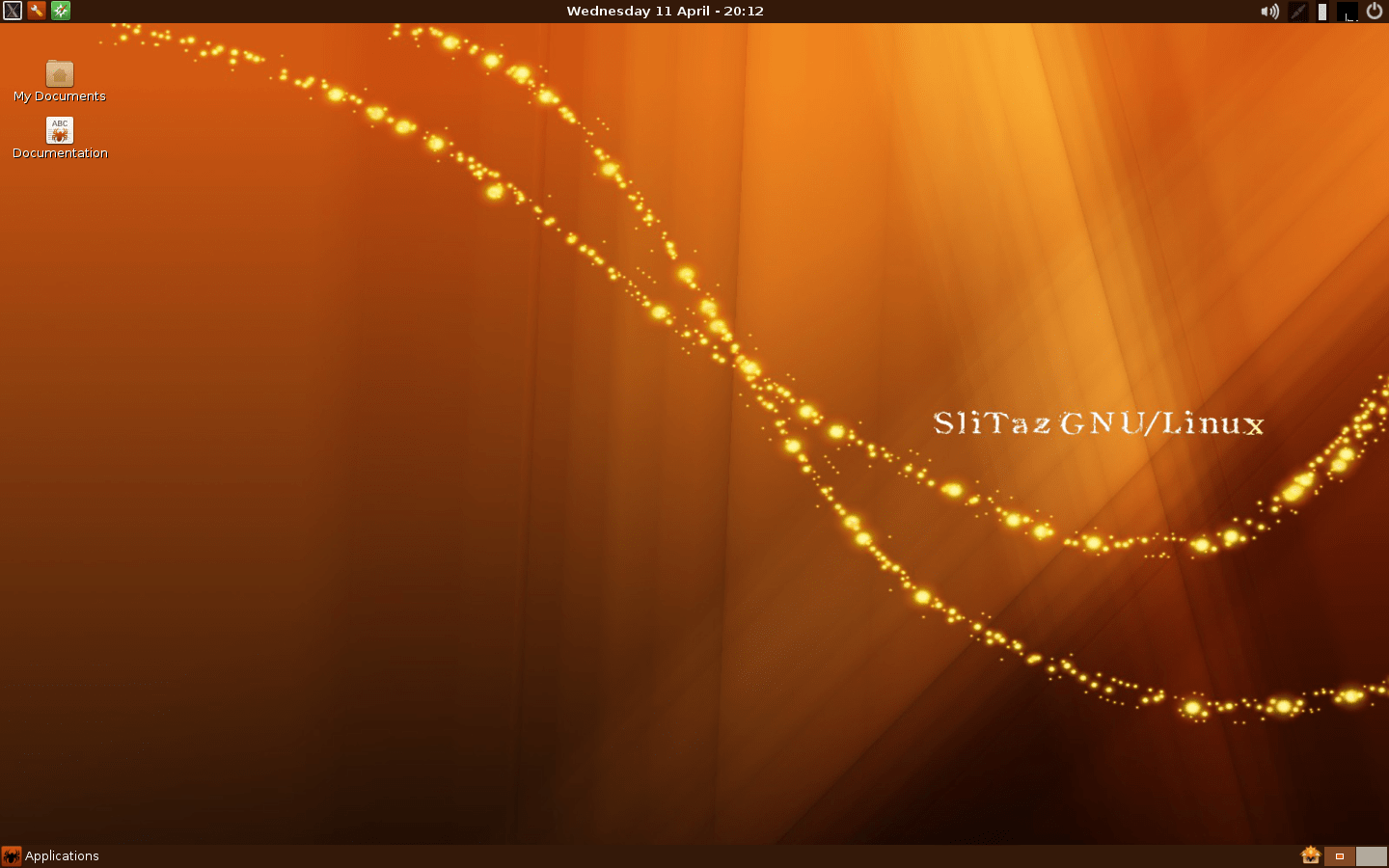
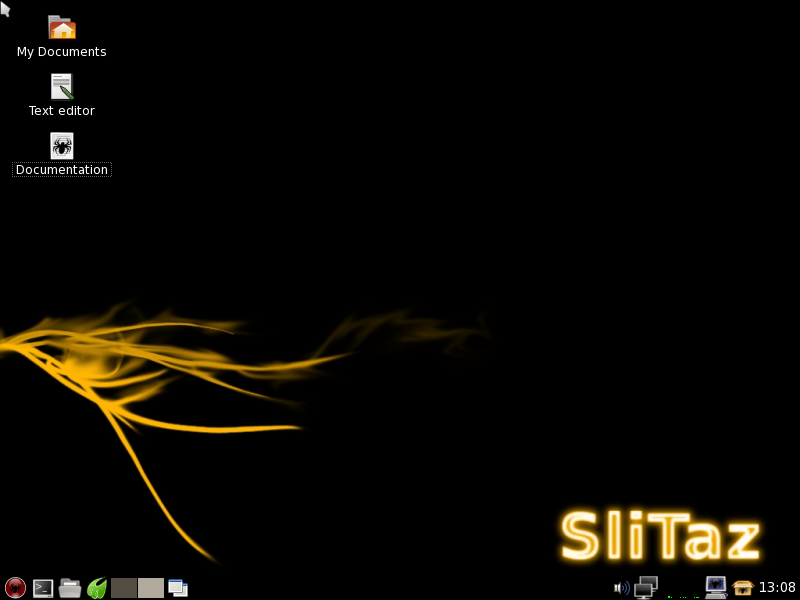
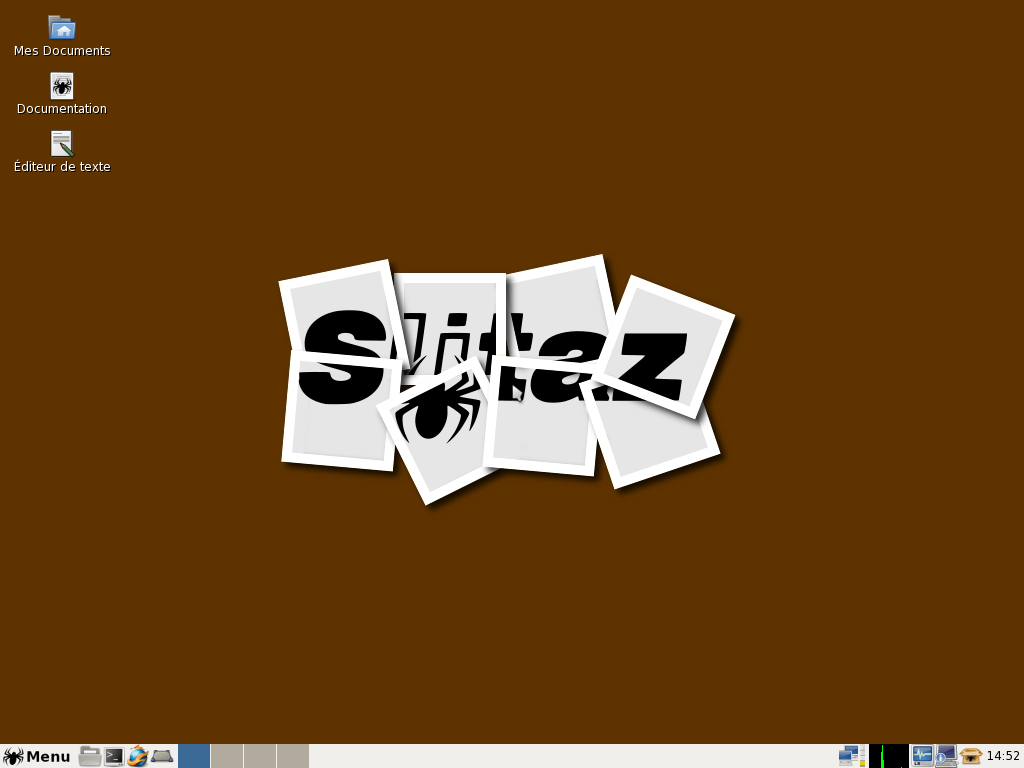
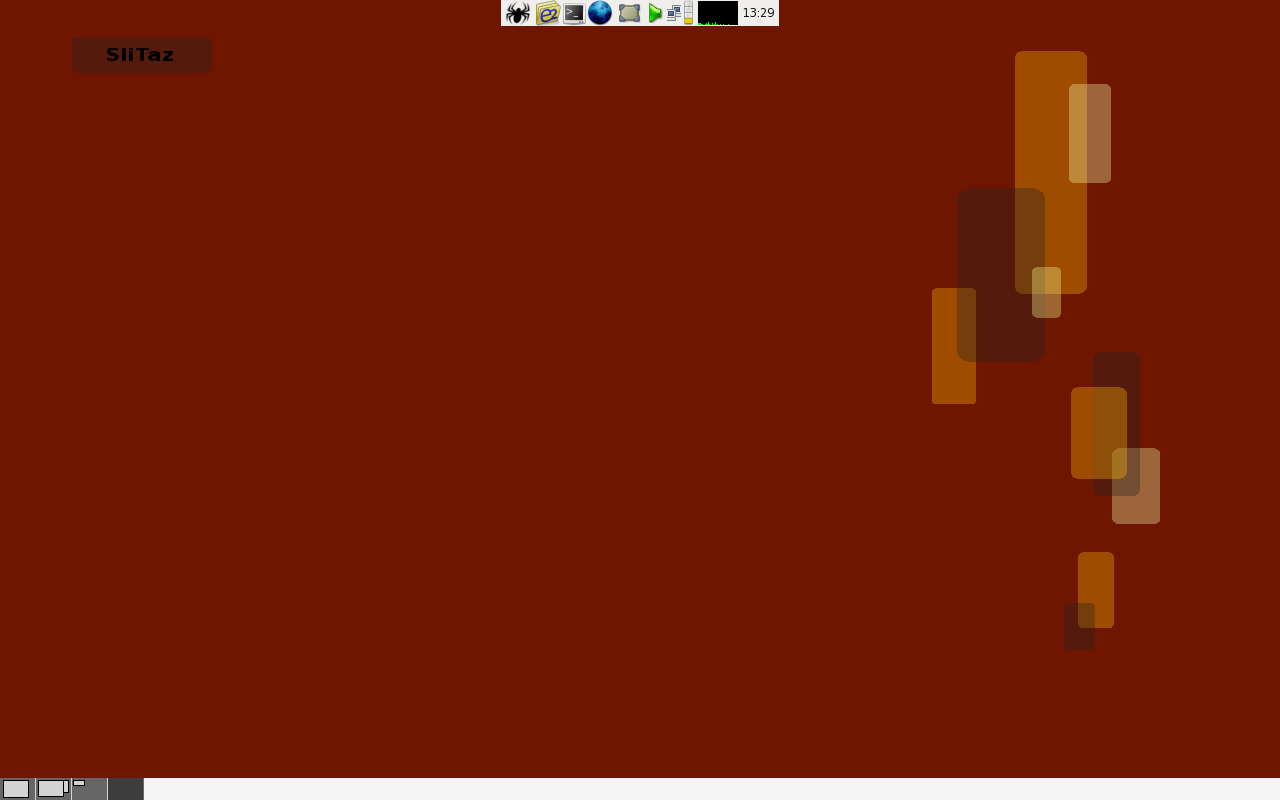
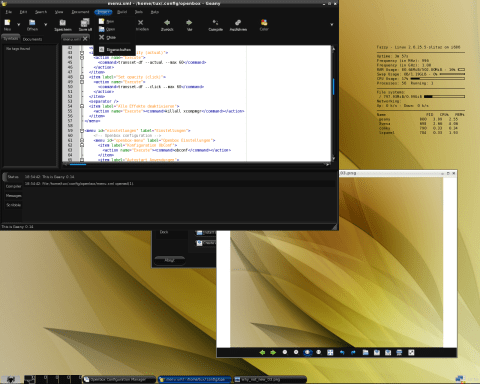
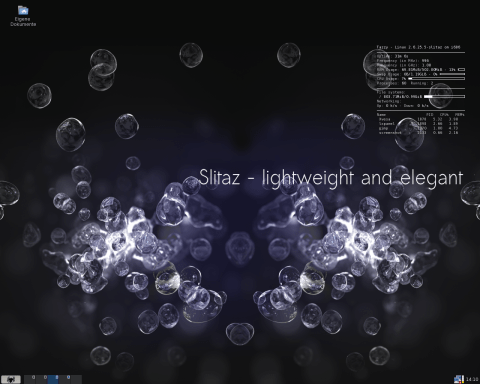
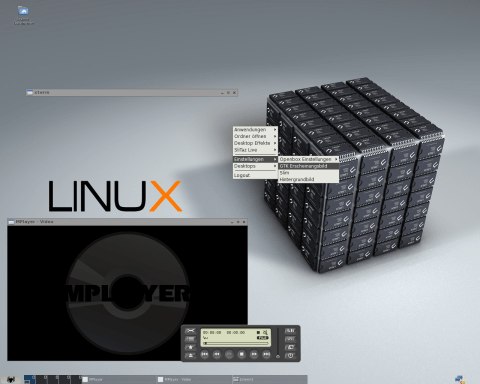
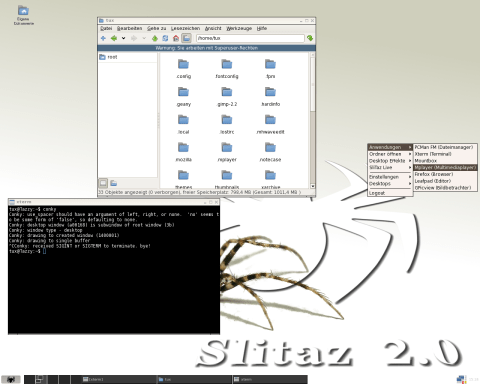
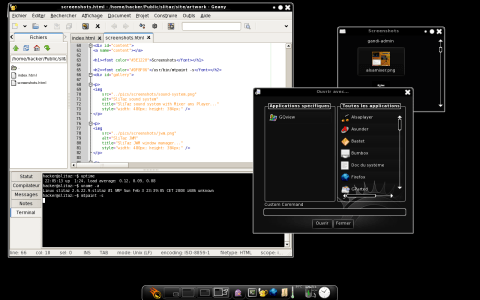
Here are some screenshots thanks to SliTaz.org:
Stable 4.0
Stable 4.0
Stable 3.0
Stable 3.0
Stable 2.0
Stable 2.0
Stable 1.0
Stable 1.0
Cooking - Geany and GPicview
Cooking - Conky
Cooking - Conky
Cooking - Multimediaplayer MPlayer
Cooking - Dateimanager PCManFM
Stable - E17
Stable - E17

Thursday, November 5, 2015

Transparent Aluminum, Now a Reality!


If you are a Star Trek fan, then you might recall that in the movie "Star Trek: The Voyage Home" they mention transparent aluminum. In the movie they use it to transport whales to the future.

Well that sci fi idea has become reality.

In a press release on http://www.nrl.navy.mil they made it clear they have already accomplished this amazing task.

The new material, called Spinel is made of magnesium and aluminum (among other things).

It should be fairly cheap to make, because "The precursors are all earth abundant, so it's available in reasonably low cost".

It's also quite a bit lighter and thinner than bullet proof glass of today. "A "bullet-proof" window today, for example, has layers of plastic and glass perhaps five inches thick. "If you replaced that with spinel, you'd reduce the weight by a factor of two or more,""

For the whole news release, check the link out here:

http://www.nrl.navy.mil/media/news-releases/2015/transparent-armor-from-nrl-spinel-could-also-ruggedize-your-smart-phone